Thursday, April 28, 2011

Beremiz, A open source software for Automation

বেরিমিজ (Beremiz) (উইন্ডোজ,লিনাক্স,ম্যাক), শিল্প-কারখানার যন্ত্রাদি স্বয়ংক্রিয়ভাবে পরিচালনা করতে  PLC  কন্ট্রোল লজিক (Control Logic Application) অ্যাপ্লিকেশন তৈরীর জন্য এক উন্মুক্ত Automation সিস্টেমের সমাধান।

ধন্যবাদ এর ব্যবহারবান্ধব উদ্ভাবন ও সহজবোধ্যতার জন্য।

ইন্ডাস্ট্রিয়াল প্রসেস অটোমেশনের (Industrial Process Automation) জন্য অ্যাপ্লিকেশন তৈরীতে এটি একটি অনন্য সফটয়্যার যা বিভিন্ন স্ট্যান্ডার্ড যেমন IEC 61131-3 , PLCopen , CANOpen and SVGUI প্রসেস গ্রাফিকসের (Process Graphics) সমন্বয়ে সমৃদ্ধ।

PLCopen গ্রাফিকাল ইউজার ইন্টারফেস (GUI) যা IEC-61131-3 (IL,ST,LD,SFC,FBD) এর সবধরনের ডাটা মডেল ফাইলসমূহ স্বীকৃত TC6_XML ফরম্যাটে সংরক্ষণ/ স্থানান্তর/রুপান্তর করে।


এই এডিটরে বিল্ট-ইন এক্সপোর্ট ফিল্টার আছে যাতে করে (FB, LD, SFC)=> (ST, IL, SFC) সমূহে পরিবর্তন/রুপান্তর করা যায়

এটাতে SCADA সিস্টেমের প্রসেস গ্রাফিক্স (HMI) তৈরীর জন্য একটি

গ্রাফিকাল টুল( SVGUI, wxGlade এডিটর) আছে।


এটি সম্পূর্ন মুক্ত সোর্সকোড সফটয়্যার, ব্যবহারকারী তার প্রয়োজন অনুসারে উন্নয়ন করতে পারে।
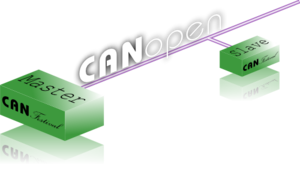

এটি CANopen বাস(Bus) স্ট্যান্ডার্ড দ্বারা যেকোনো ফিল্ড ডিভাইসের সাথে সংযুক্ত হয়ে নিয়ন্ত্রণ করতে পারে। বেরিমিজের মতোই CanFestival CANopen এর জন্য উন্মুক্ত প্রকল্প।

ফাংশনাল ব্লক ডায়াগ্রাম (FBD)

সিকুয়েন্সিয়াল ফাংশন চার্ট (SFC)


ল্যাডার ডায়াগ্রাম (LD)

ইন্সট্রাকশন লিস্ট (IL)


স্ট্রাক্টচার টেক্সট (ST)


কনফিগারেশন (Configurations, Resources and Tasks)


ঘরে বসে PLC প্রোগ্রামিংয়ের চর্চার জন্য এটি বেশ আনন্দদায়ক। অফলাইন টেস্টিং করার জন্য সাথে সিমুলেটরও আছে।

Wednesday, April 27, 2011

Active Directory–based Group Policy update [Windows server 2003]

The gpupdate command refreshes local and Active Directory–based Group Policy settings, including security settings on the computer from where it is run. You can use gpupdate locally on Windows Server and higher computers to refresh policy immediately. On computers running Windows 2000, this functionality is provided by the using the secedit command with the refreshpolicy option.


Syntax

Gpupdate [/target:{computer|user}] [/force] [/wait:value] [/logoff] [/boot]

Parameters


/target:{computer|user}
Processes only the computer settings or the current user settings. By default, both the computer settings and the user settings are processed.
/force
Ignores all processing optimizations and reapplies all settings. The Group Policy engine on the client tracks versions of the GPOs that are applied to the user and computer. By default, if none of the GPO versions change and the list of GPOs remains the same, the Group Policy engine will not reprocess policy. This option overrides this optimization and forces the Group Policy engine to reprocess all policy information.
 
/wait:value
Number of seconds that policy processing waits to finish. The default is 600 seconds. 0 means "no wait"; -1 means "wait indefinitely."
/logoff
Logs off after the refresh has completed. This is required for those Group Policy client-side extensions that do not process on a background refresh cycle but that do process when the user logs on, such as user Software Installation and Folder Redirection. This option has no effect if there are no extensions called that require the user to log off.
/boot
Restarts the computer after the refresh has completed. This is required for those Group Policy client-side extensions that do not process on a background refresh cycle but that do process when the computer starts up, such as computer Software Installation. This option has no effect if there are no extensions called that require the computer to be restarted.
/?
Displays help at the command prompt.

Remarks

  • If you make a syntax error, a syntax summary appears that looks similar to this Help topic.

Examples

The following examples show how you can use the gpupdate command:
  • gpupdate
  • gpupdate /target:computer
  • gpupdate /force /wait:100
  • gpupdate /boot